
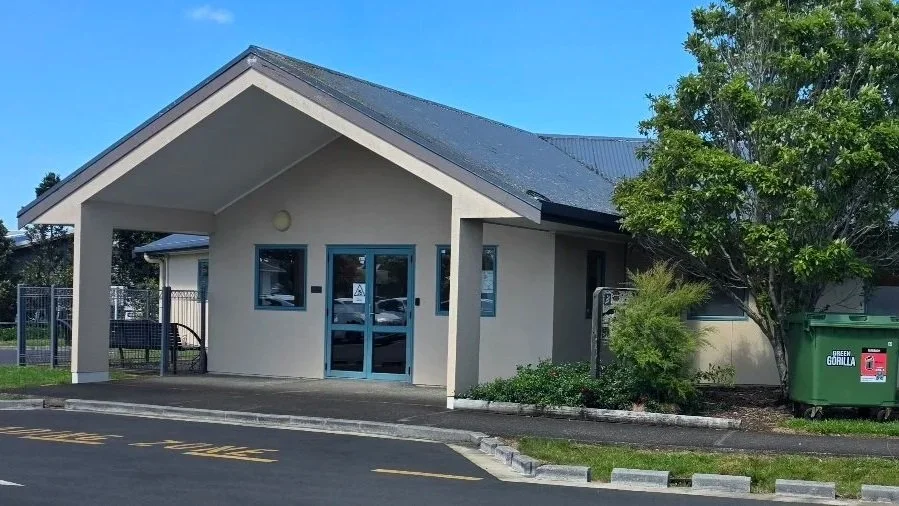
Aratika Antenatal Clinic
Antenatal Clinic (WTK)
How to get there
General Antenatal clinics at Waitakere is located by the Maternity Entrance. Clinic rooms are just behind the reception.
Diabetes clinics are held in the Aratika building which is located the back carpark, behind the electric fleet cars.
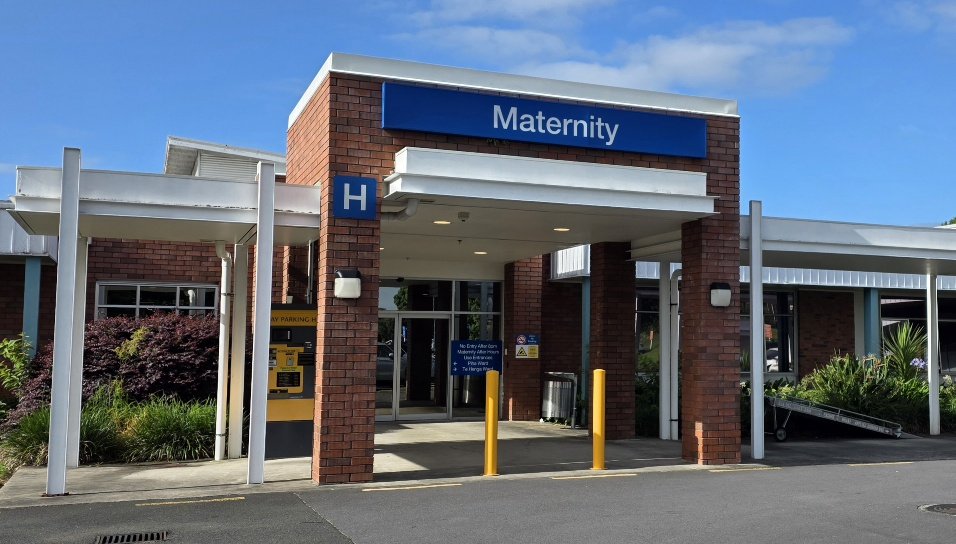
Maternity Entrance WTK
Before you arrive
Look up the patients before you arrive using Clinical Portal and Badgernet.
Write down the following info: Maternal Age, GxPx, Gestation, Reason for Referral
Write a list of questions you might ask or advice to might give
Watch ‘How to examine a pregnant abdomen’ video on CANVAS
Make sure you arrive early, before the clinic starts
Ensure you have a paper measuring tape (they are in each clinic room)
When you arrive
Introduce yourself to the reception staff and midwives, say you are here to sit in with the obstetric doctor. Ask where you should wait.
If there is a room available, log into the computer and bring up the patients notes. Prepare and write your clinical note in ‘Notepad’ then transfer it into the Badgernet Note once you have finished. This way you can use Badgernet to find information and Badgernet will not ‘timeout’ and lose your work.

When the doctor arrives, introduce yourself. Say that you have looked up the cases and that you were hoping to have the opportunity to examine some pregnant abdomen.
IMPORTANT: Remember to ask the doctor working with you to ‘Authorise’ you on Badgernet or you will not be able to save the notes you write.
What you might be able to do from the logbook
Conduct an antenatal history and exam
Examination of a pregnant abdomen
Assessment of clinical conditions eg SGA, Pregnancy with a pre-existing medical condition (See Page 6-7)
Other opportunities to look out for
Take BP
Read the urine dipstick
Review a CTG